1 of 3  Next
Next
Next
New Conditional Order Type
- One-Triggers-a-One-Cancels-the-Other (OTOCO): This new order type combines a One-Triggers-the-Other (OTO) and a One-Cancels-the-Other (OCO) into a single order. It will allow you to enter a position as well as two secondary orders so that if one is triggered, the other is automatically canceled.
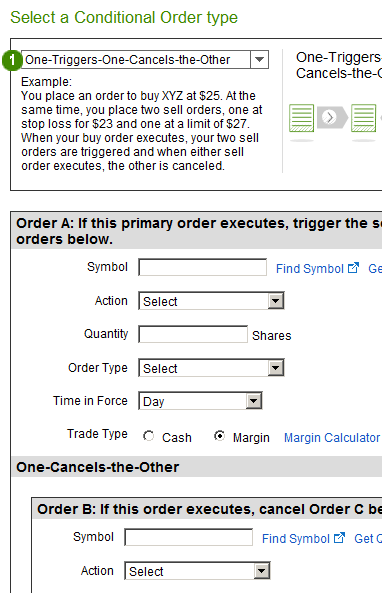
Screenshots are for illustrative purposes only.
More Ways to Tailor Your Orders
- New contingent criteria: Now you can trigger a Contingent order using an option contract’s last trade, bid price, or ask price.
- Stop Limit prices: You now have the flexibility to enter different stop and limit prices when placing a Stop Limit order as part of your Conditional order.
- Customizable order expiration: Now you can specify a date and time for the expiration of a good 'til canceled (GTC) time-in-force, as well as for Stop and Trailing Stop orders (up to 180 days out) for both equities and options.
- Expiration alerts: You can now request alerts for upcoming expirations on your conditional orders.
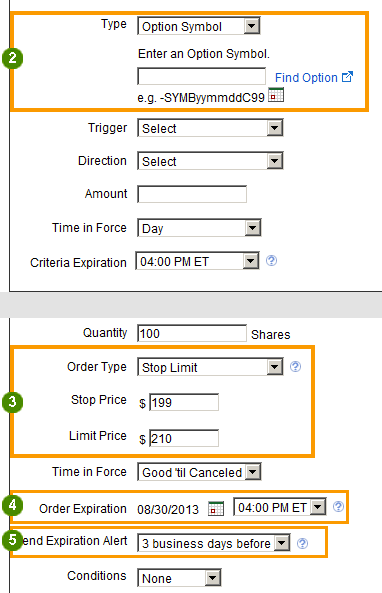
Screenshots are for illustrative purposes only.
Previous 3 of 3
3 of 3
Edit Order Expiration
- Edit order functionality: Now you can change the expiration date, expiration time, and alert details directly from the Orders page.*
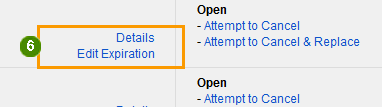
Screenshots are for illustrative purposes only.
* Available on equity and options orders entered through the following trade tickets: Trade Stocks/ETFs, Contingent, Multi-Contingent, One-Cancels-the-Other (OCO), One-Triggers-the-Other (OTO), and One-Triggers-a-One-Cancels-the-Other (OTOCO).